
Dear Fig users,
If you have a soy allergy or avoid soy-based ingredients, we kindly ask that you review your Fig profile to make sure it’s updated to match your unique needs.
What happened:
- There was an issue where Fig members weren’t able to select their correct soy needs on the app.
- For example, Fig members avoiding soy for non-allergy reasons weren’t able to select this preference.
- We’ve fixed the underlying issue; however, we had to reset everyone’s soy preferences on the app.
- To be conservative, we set ALL Fig members to the strictest soy option on the app: a soy allergy.
- If you avoid soy, it’s a great idea to check your Fig settings now to make sure your needs and preferences are accurately captured.
What you need to do:
- Please update your Fig profile to ensure it reflects your personal soy needs.
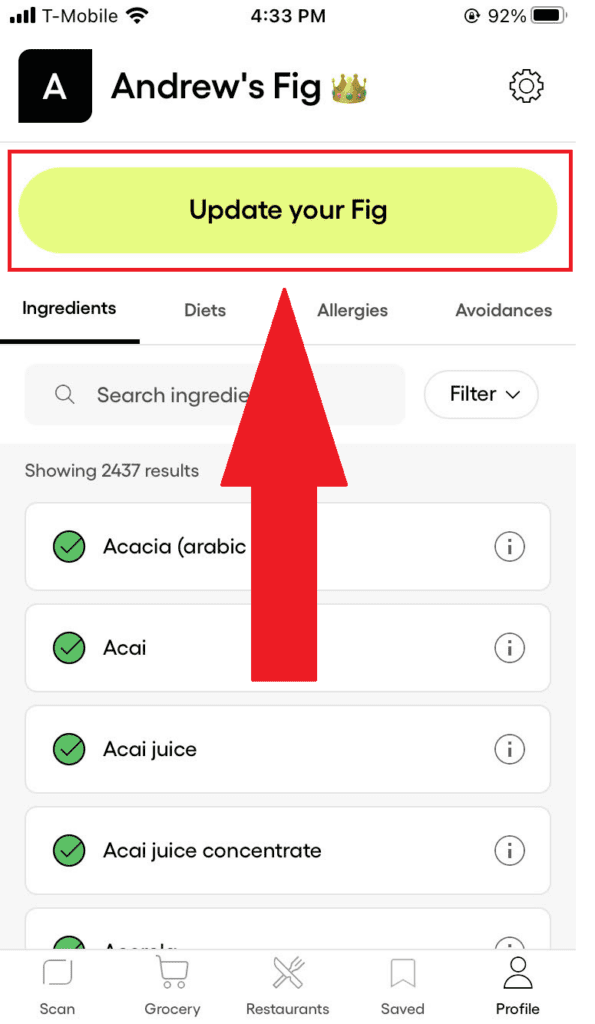
- To do this, open the Fig app, tap “Profile” in the bottom right corner, and then select the “Update your Fig” button at the top of the screen.
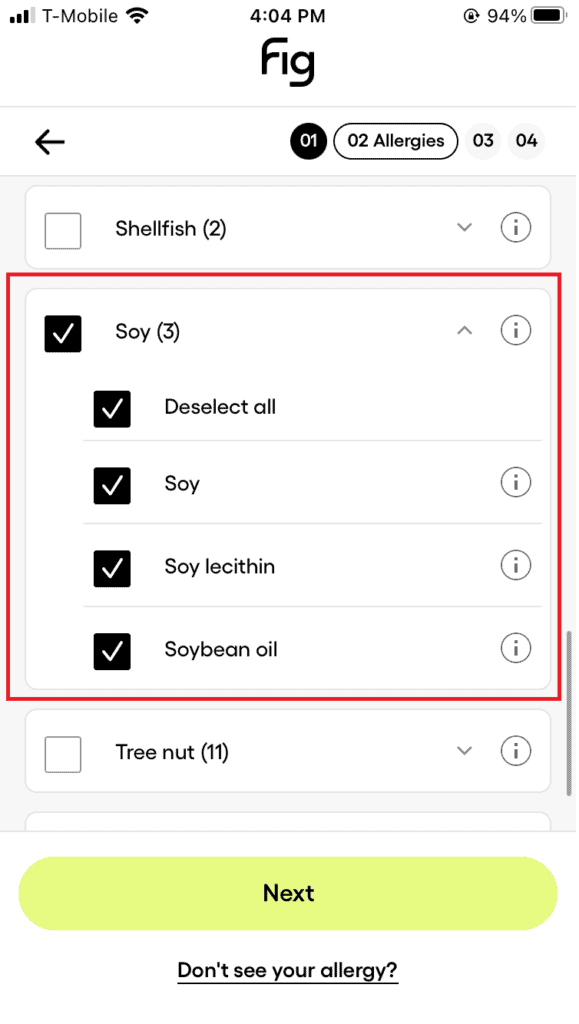
- On the second screen of profile update (with the header “Any of these food allergies?”), scroll down to “Soy” to see the soy allergen options:
- Soy
- Soy lecithin
- Soybean oil
- Make sure these selections match your personal needs.
- Note:
- If you have a soy allergy, make sure there’s a checkmark next to the soy-based ingredients you personally need to avoid.
- If you don’t have a soy allergy and soy cross-contamination is not an issue for you, you may wish to uncheck all of the soy options in this allergy section. Otherwise, Fig will check product allergen statements for soy-based ingredients. This could overly restrict the number of food options you find on Fig.
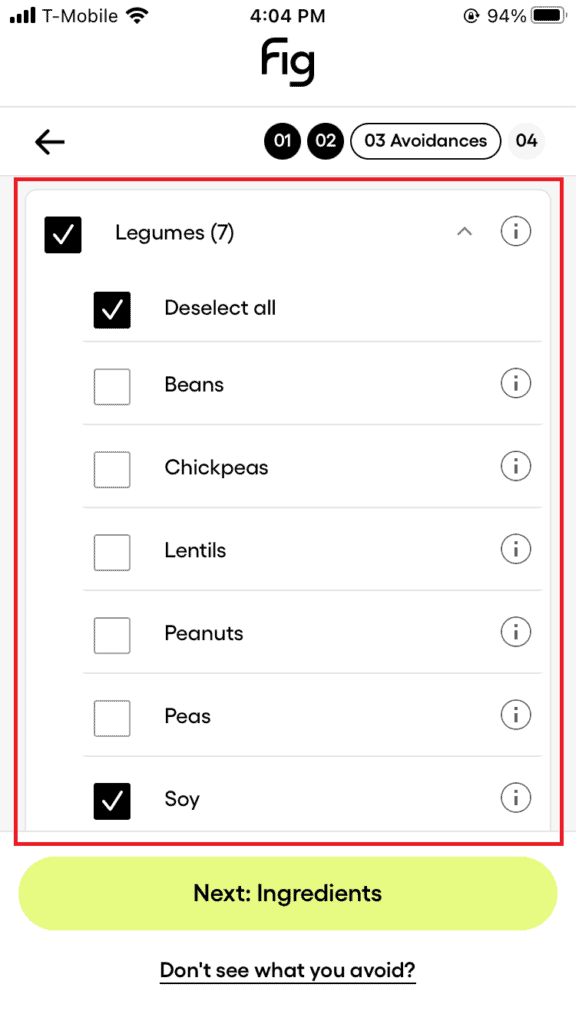
- Continue to the third screen of profile update (“Do you avoid any of these?”). Scroll down to “Legumes” to find the “Soy” option.
- Note:
- If you have a soy allergy, it’s likely best to uncheck this option. Fig will already check for soy-based ingredients based on your selections from the previous food allergy page.
- Alternatively, if you don’t have a soy allergy and are avoiding soy for other reasons (where cross-contamination is not an issue), it may be best to leave this option checked.
We apologize for this inconvenience and thank you for taking the time to update your Fig profile. If you have any questions or feedback for improving Fig, please don’t hesitate to send us a note.